
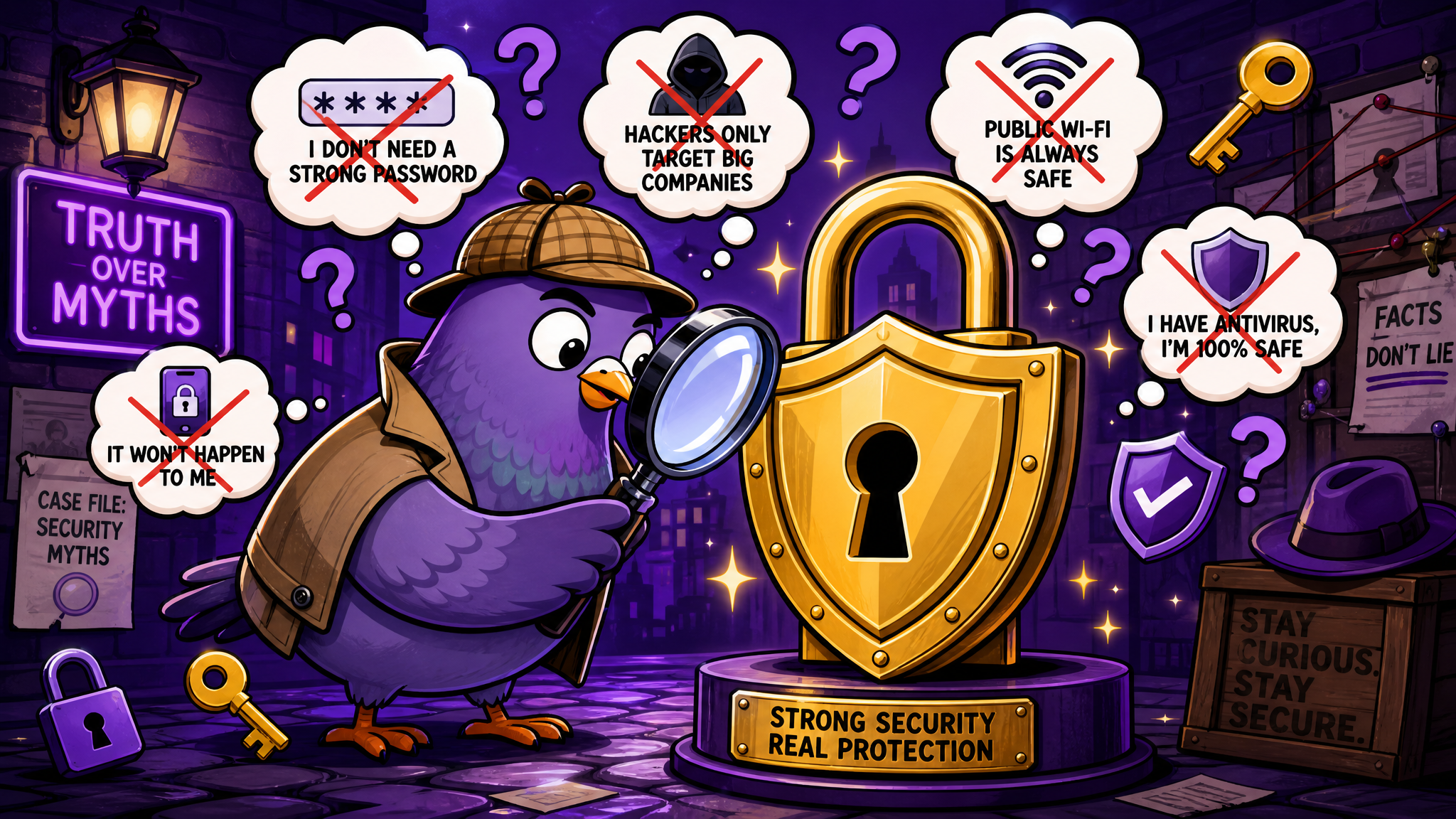
Messaging Security Myths Debunked: What Really Keeps Your Chats Safe
Separate fact from fiction as we debunk common messaging security myths and reveal what truly protects your private conversations.
Think You Know How Messaging Security Works? Think Again
Everyone has opinions about messaging security. "App X is totally safe because it has a lock icon." "The government can read all your messages." "If it's free, you're the product." "Encryption means nobody can ever see your messages." Some of these beliefs contain grains of truth. Others are dangerously wrong. And the gap between what most people believe about messaging security and what's actually true leaves billions of users either falsely confident or unnecessarily paranoid.
Let's bust the most common myths about messaging security, replace them with facts, and give you the knowledge you need to make genuinely informed decisions about your digital privacy.
Myth 1: "End-to-End Encryption Means Nobody Can Read My Messages"
The Truth: End-to-end encryption (E2EE) means that messages are encrypted on your device and can only be decrypted on the recipient's device. The messaging company, internet service providers, and anyone who intercepts the data in transit sees only meaningless code. This is genuinely strong protection — but it's not absolute.
E2EE doesn't protect against several real-world attack vectors. If someone has physical access to your unlocked phone, they can read every message regardless of encryption. If your device is compromised by spyware or malware, the messages can be captured before encryption or after decryption. If you back up your messages to cloud storage without encrypted backup, those backups may be accessible to the cloud provider or anyone who compromises your cloud account.
The takeaway: E2EE is an essential security feature, but it's one layer in a security stack, not a magic shield. Device security, backup encryption, and physical security matter just as much.
Myth 2: "Free Messaging Apps Sell My Messages to Advertisers"
The Truth: This is one of the most persistent and most inaccurate beliefs about messaging security. No major messaging platform sells the content of your private messages to advertisers. The legal, technical, and reputational risks of doing so are far too high.
What some platforms do collect is metadata — information about your messaging patterns rather than message content. Who you message, when, how often, your contact list, your device information, and your usage patterns can be aggregated and used for advertising targeting without ever reading a single word of your conversations.
The distinction between content and metadata is important. Content is what you say; metadata is the pattern of how you say it. While metadata collection is a legitimate privacy concern, it's fundamentally different from "reading your messages." Understanding this distinction helps you evaluate messaging apps accurately rather than through the lens of urban legend.
Privacy-focused platforms like PigeonChat minimize both content and metadata collection, giving users greater confidence that their communication patterns, as well as their message content, remain private.
Myth 3: "A Green Lock Icon Means the App Is Secure"
The Truth: A green lock icon in your browser address bar means the connection between your device and the website is encrypted via HTTPS. It does not mean the app itself is secure, that the company handles your data responsibly, or that the encryption is end-to-end.
HTTPS encrypts data in transit between you and the server, but the server itself can still read the data. This is fundamentally different from end-to-end encryption, where even the server can't access message content. Many messaging platforms use HTTPS without offering E2EE, meaning your messages are protected from outside attackers but fully accessible to the platform itself.
Similarly, an app's security certifications, privacy badges, or trust seals don't necessarily reflect its actual security practices. The only reliable way to evaluate a messaging app's security is through independent security audits, open-source code reviews, and transparent privacy policies. Visual indicators like lock icons are marketing tools, not security guarantees.
Myth 4: "Deleting a Message Means It's Gone Forever"
The Truth: Deleting a message from your device doesn't necessarily remove it from existence. Depending on the platform and the recipient's settings, the message may still exist in multiple locations.
Most messaging apps offer "delete for everyone" features, but these have limitations. The recipient may have already read the message, taken a screenshot, or have backup copies. Some platforms store messages on their servers even after device-side deletion. Cached copies may persist in device storage. And forensic data recovery tools can sometimes retrieve deleted messages from devices.
True message deletion requires the message to be removed from all server copies, all device copies (sender and recipient), and all backups simultaneously. Few platforms guarantee this level of deletion, and even those that do can't prevent screenshots or photos of the screen.
The practical advice: treat every message as potentially permanent. If you wouldn't want a message to exist forever, consider whether sending it is wise, regardless of the delete function.
Myth 5: "Using a VPN Makes My Messaging Completely Private"
The Truth: A VPN (Virtual Private Network) encrypts the connection between your device and the VPN server, masking your IP address and location from the messaging platform and your internet service provider. This is useful for certain privacy scenarios, but it doesn't make your messaging "completely private."
A VPN doesn't encrypt your messages themselves — that's the messaging app's job. If the app doesn't use E2EE, a VPN doesn't add message-level encryption. A VPN also doesn't protect against device-level threats like malware, doesn't prevent the messaging platform from collecting metadata (they just see the VPN's IP instead of yours), and doesn't protect against social engineering attacks.
Think of a VPN as a disguise for your internet connection, not a security upgrade for your messages. It's one useful tool in a privacy toolkit, but it's not a replacement for choosing a messaging app with strong built-in security features.
Myth 6: "Open-Source Apps Are Always More Secure Than Proprietary Ones"
The Truth: Open-source software allows anyone to inspect the code for vulnerabilities, which can lead to better security through community review. However, "can be inspected" doesn't mean "has been inspected" or "is free of vulnerabilities."
Many open-source messaging projects have tiny development teams and limited security audit budgets. A critical vulnerability in an open-source app might go unnoticed for years if the community of reviewers is small or the codebase is complex. Meanwhile, well-resourced proprietary apps may invest millions in internal security teams, professional audits, and bug bounty programs.
The most secure apps tend to combine both approaches: open-source code for transparency, backed by professional security audits and well-funded development teams. The key question isn't "is it open-source?" but "has the security been independently verified?"
Myth 7: "Only Criminals Need Encrypted Messaging"
The Truth: This is perhaps the most dangerous myth of all because it undermines the universal right to private communication. Encryption protects everyone: journalists communicating with sources, domestic abuse survivors seeking help, business professionals sharing trade secrets, medical patients discussing health information, activists in authoritarian regimes, and ordinary citizens who simply believe that their private conversations should remain private.
The "nothing to hide" argument fundamentally misunderstands privacy. Privacy isn't about hiding wrongdoing — it's about maintaining personal autonomy and dignity. You close the bathroom door not because you're doing something illegal but because some things are simply private. Digital communication deserves the same presumption of privacy that we grant to in-person conversations.
Every major human rights organization, from the United Nations to Amnesty International, has affirmed that encrypted communication is essential for the exercise of fundamental rights including freedom of expression, assembly, and association. Framing encryption as a criminal tool undermines these rights for everyone.
Myth 8: "My Messages Are Too Boring for Anyone to Care About"
The Truth: You don't need to be a person of interest for your messages to have value to bad actors. The information contained in ordinary messages — your location patterns, your workplace, your relationships, your daily routine, your financial discussions — can be used for identity theft, social engineering, targeted phishing, or even physical crimes like burglary (knowing when you're away from home).
Data breaches don't target individuals — they target platforms, harvesting millions of accounts at once. In a massive data breach, your "boring" messages are just as exposed as anyone else's. And aggregated across millions of users, "boring" message data is extremely valuable for creating detailed behavioral profiles used in advertising, insurance risk assessment, and political manipulation.
What Actually Keeps Your Messages Safe
Now that we've cleared away the myths, here's what genuinely protects your messaging privacy:
End-to-end encryption by default. Not as an option buried in settings, but as the standard mode for all conversations. Apps like PigeonChat that encrypt by default provide consistently strong protection without requiring users to make security decisions.
Device security. A strong device passcode, biometric authentication, regular software updates, and avoiding suspicious apps are more impactful than any single messaging feature.
Encrypted backups. If your messages are backed up to the cloud, ensure those backups are encrypted. An unencrypted backup is a backdoor to all your conversations.
Two-factor authentication. Protect your messaging account with 2FA to prevent unauthorized access even if your password is compromised.
Informed skepticism. Question security claims, read privacy policies, and stay informed about your messaging app's security track record. The most security-conscious users are those who understand both the strengths and limitations of their tools.
Knowledge Is Your Best Encryption
Messaging security isn't about finding one perfect app and trusting it blindly. It's about understanding how security actually works, recognizing the limitations of every tool, and making informed choices that align with your personal privacy needs.
The myths we've debunked today aren't just misconceptions — they're barriers to genuinely secure communication. By replacing them with accurate understanding, you're already more secure than the vast majority of messaging users. And in a world where digital privacy is increasingly under pressure, that knowledge is your most valuable protection.

Writer & Editor at PigeonChat
Related Articles
What makes an end to end encryption chat app secure
What a fully compliant EU chat app should include

Why people search for a WhatsApp alternative without a number
What end to end encryption chat really protects

Why chat folders matter for busy group conversations
