
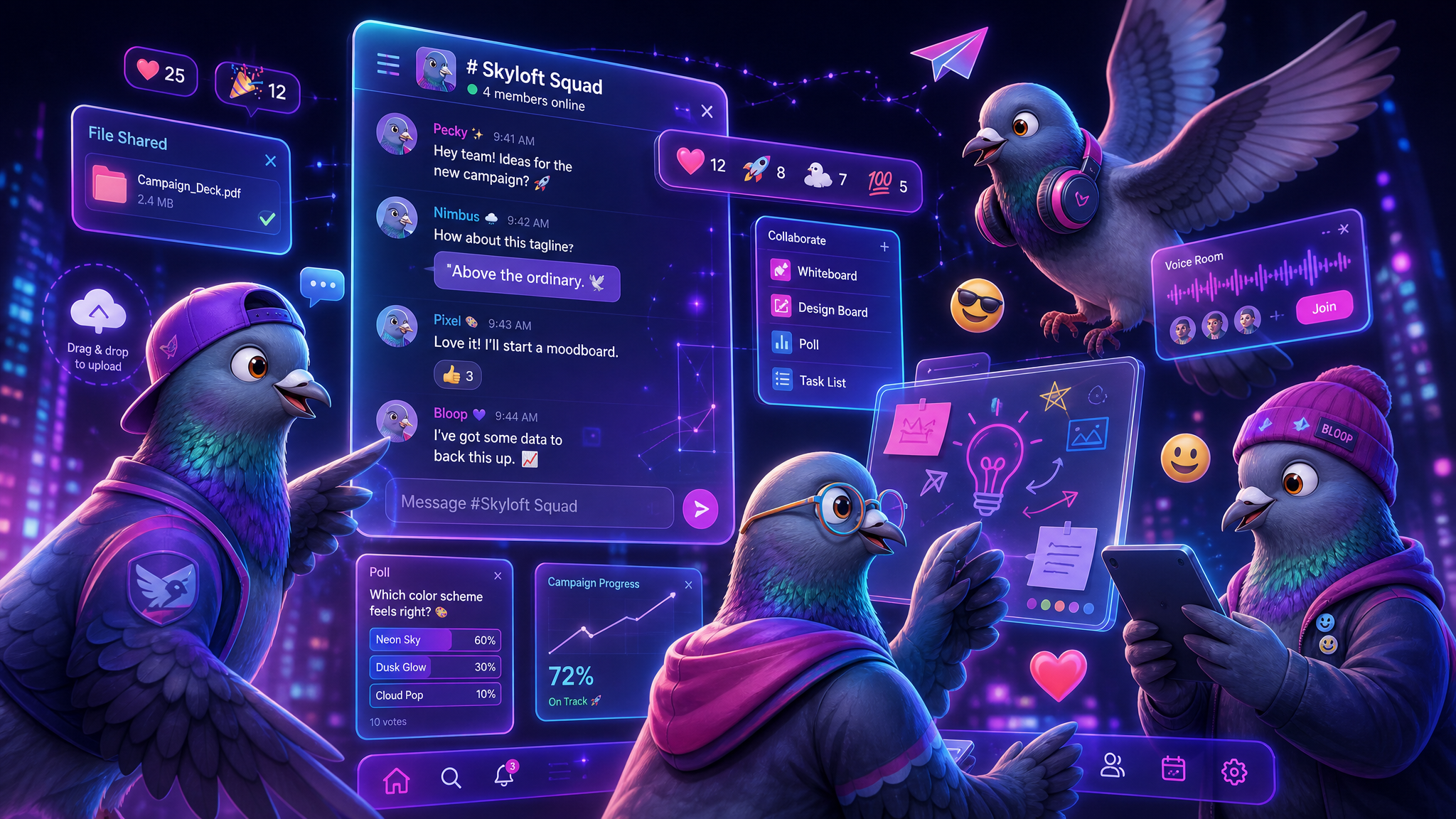
The Future of Group Messaging in 2026: Collaboration, Communities, and the Death of Email Threads
Group messaging is evolving from simple chat rooms into powerful collaboration hubs. Explore how modern group chats are replacing email chains, reshaping communities, and introducing features that make teams more productive than ever.
Remember when group messaging meant a chaotic SMS thread where you couldn't tell who said what, messages arrived out of order, and adding a new person meant starting from scratch? Those days feel like ancient history.
In 2026, group messaging has evolved into something far more powerful: a dynamic, feature-rich collaboration environment that's fundamentally changing how teams work, communities organize, families stay connected, and friends coordinate their lives.
The statistics tell the story. Over 78% of remote workers now say messaging apps are their primary tool for team communication — surpassing email for the first time. Group chats have become the default operating system for human coordination, and they're only getting more sophisticated.
The Evolution of Group Chat: A Brief History
The Early Days (2000-2010)
Group messaging started with IRC channels and early instant messaging. These were simple text-only environments with minimal features — a virtual room where multiple people could type at each other. Group SMS was unreliable, expensive, and limited to about 10 participants.
The App Revolution (2010-2018)
WhatsApp, iMessage, and Telegram brought group messaging to the masses. Suddenly, you could share photos, videos, and voice notes with hundreds of people simultaneously, for free. But the core experience was still a single chronological stream — everything mixed together in one timeline.
The Platform Era (2018-2024)
Slack and Discord transformed group messaging from a conversation tool into a platform. Channels, threads, integrations, bots, pins, reactions — these apps proved that group messaging could be structured, searchable, and integrated with other tools.
The Convergence (2024-Present)
Now we're seeing a convergence where personal messaging apps are adopting the best features from workplace platforms, and vice versa. The line between "work messaging" and "personal messaging" is blurring — and that's creating the most powerful communication tools we've ever had.
Why Email Is Losing to Group Messaging
For decades, email was the undisputed champion of business communication. But its fundamental architecture — asynchronous, formal, siloed — is increasingly at odds with how modern teams need to communicate.
The Problems With Email
- Reply-all chaos: A single "reply all" to a 50-person thread generates 50 notifications. In a group chat, one message generates one notification per person, with context.
- Lost context: Email threads become impossibly convoluted after 3-4 replies. Quoted text piles up. Attachments get lost. New participants can't see the history.
- Formal overhead: "Dear team, I hope this email finds you well. Per our earlier discussion, I wanted to follow up on..." — this ritualistic formality wastes everyone's time. In a group chat, you just say what you mean.
- No real-time collaboration: Email is fundamentally asynchronous. You send a message and wait. There's no presence indication, no typing indicators, no instant feedback loop.
- Inbox overload: The average professional receives 121 emails per day. Most are irrelevant, redundant, or CC'd "just in case." Group messaging with proper channels eliminates this noise.
Where Group Messaging Wins
| Feature | Modern Group Messaging | |
|---|---|---|
| Real-time collaboration | ❌ Asynchronous only | ✅ Instant + async |
| New member onboarding | ❌ Must forward history | ✅ Full history access |
| Reactions/acknowledgment | ❌ Requires full reply | ✅ Emoji reactions |
| Media sharing | ⚠️ Attachment limits | ✅ Seamless rich media |
| Search | ⚠️ Siloed per inbox | ✅ Unified search |
| Informal tone | ❌ Feels unprofessional | ✅ Natural and human |
| Threading | ⚠️ Messy chains | ✅ Clean threads |
The 7 Innovations Defining Modern Group Messaging
1. Channels and Topics
Instead of one giant stream where everything gets mixed together, modern group messaging apps organize conversations into channels or topics. A family group might have channels for "Logistics," "Photos," "Recipes," and "Random." A work team might have "Project Alpha," "Design Feedback," "Announcements," and "Water Cooler."
This solves the biggest complaint about traditional group chats: important messages getting buried under memes and off-topic banter.
2. Threaded Conversations
When someone shares a document for feedback in a group chat, the discussion about that document should stay threaded — attached to the original message — rather than interleaving with unrelated conversation. Threads keep group chats organized and make it easy to catch up on specific discussions without scrolling through hundreds of unrelated messages.
3. Smart Mentions and Roles
Modern group messaging goes beyond simple @mentions. You can mention roles (@designers, @parents, @team-leads) to notify specific subsets of a group without pinging everyone. Some apps even offer @here (notify only currently online members) vs @everyone (notify all members) distinctions.
4. Rich Media and Collaborative Documents
Group chats in 2026 aren't limited to text and photos. Modern platforms support:
- Live polls: Instantly vote on decisions — where to eat, when to schedule a meeting, which design to choose
- Shared to-do lists: Collaborative task management without leaving the chat
- Document collaboration: Share and collaboratively edit documents inline
- Interactive calendars: Schedule events and RSVP within the group
- Location sharing: See where everyone is in real-time for meetups
5. AI-Powered Summaries
Perhaps the most game-changing innovation is AI-generated catch-up summaries. When you return to a group chat with 200 unread messages, an AI assistant can summarize what happened while you were away:
"While you were away: The team decided to move the launch date to Friday. Sarah shared the updated design mockups (see thread). Mike asked about the API documentation — no one has responded yet. There were 47 messages about last night's football game."
This single feature transforms the group chat experience from overwhelming to manageable.
6. Permissions and Privacy Controls
Advanced group messaging now offers granular controls:
- Admin-only posting: For announcement channels where only leaders can post
- Slow mode: Rate-limit posts to prevent spam and encourage thoughtful contributions
- Message editing and deletion: With transparent edit history for accountability
- Read receipts per message: See who has (and hasn't) read important announcements
- Invite links with expiration: Control who can join and when links expire
7. Cross-Platform Presence
Modern group messaging works seamlessly across devices — phone, tablet, desktop, web browser, smartwatch. Your conversation state syncs instantly, so you can start reading a group discussion on your phone during your commute and continue on your desktop when you reach the office.
Group Messaging Use Cases That Are Replacing Traditional Tools
Family Coordination Hubs
The family group chat has become the digital kitchen table. Parents coordinate school pickups, share grocery lists, plan weekend activities, and share photos of the kids — all in one persistent, searchable conversation that everyone can access anytime.
Neighborhood Communities
Local neighborhood groups on messaging apps have largely replaced community bulletin boards, mailing lists, and even apps like Nextdoor. They're used for everything from reporting suspicious activity to organizing block parties to recommending local plumbers.
Educational Classrooms
Teachers and professors use group chats to share assignments, answer questions, and facilitate peer-to-peer learning. Students prefer the immediacy and informality of messaging over learning management systems like Moodle or Canvas.
Remote Work Teams
Distributed teams use group messaging as their virtual office. The "water cooler" channel maintains culture and social bonds, while project-specific channels keep work organized. Video calls happen when needed, but the persistent group chat is the connective tissue of remote work culture.
Event Planning
Planning a wedding, a trip, or a birthday party? Group messaging has replaced the coordination nightmare of mass emails and phone call chains. Everyone sees the same information, can contribute ideas, and decisions are made democratically through reactions and polls.
Best Practices for Managing Large Group Chats
Group chats can become chaotic if not managed well. Here are proven strategies for keeping them productive and pleasant:
- Set clear purpose and rules: Pin a message explaining the group's purpose and basic etiquette expectations
- Assign admins wisely: Have 2-3 active moderators who can manage membership and enforce guidelines
- Use channels: If a group consistently generates off-topic discussions, create dedicated channels for different topics
- Encourage threads: Normalize replying in threads rather than the main channel to keep conversations organized
- Summarize decisions: When a discussion reaches a conclusion, have someone post a clear summary pinned for reference
- Regular cleanup: Periodically review membership. Remove inactive members and archive stale channels
- Respect time zones: In global groups, be mindful of when you're messaging. Use scheduled messages for non-urgent updates
- Celebrate and connect: Group chats shouldn't be all business. Birthday wishes, congratulations, and casual conversation strengthen group bonds
The Privacy Challenge of Group Messaging
As group messaging becomes more central to our lives, privacy concerns grow. When you join a group, consider:
- Who can see your phone number or profile? Some apps expose personal information to all group members.
- Can messages be forwarded without context? A message meant for a private group could be shared externally.
- Is the group end-to-end encrypted? Not all apps offer E2EE for group conversations.
- What happens to shared media? Photos and videos shared in groups may be downloaded by any member.
- Can you leave anonymously? In some apps, your departure is announced to the group, which can be socially awkward.
PigeonChat addresses these concerns with end-to-end encryption for all group chats, granular privacy controls, and the ability to leave groups without broadcast notifications.
What's Next: The Future of Group Communication
Spatial Group Messaging
As AR/VR technology matures, group messaging will expand into three-dimensional spaces. Imagine a group chat that you can "walk into" — a virtual room where avatars gather, share screens, sketch on whiteboards, and have spatial audio conversations.
AI Group Participants
Groups will increasingly include AI assistants as permanent members — bots that can take meeting notes, summarize discussions, manage tasks, translate languages in real-time, and even mediate conflicts.
Cross-App Interoperability
The EU's Digital Markets Act is pushing for messaging interoperability, meaning group chats may soon span multiple platforms. A WhatsApp user, a Signal user, and a PigeonChat user could all participate in the same group chat without anyone switching apps.
Group messaging has come a long way from those chaotic SMS threads, and it's only getting better. At PigeonChat, we're building group features that prioritize both powerful collaboration and human connection — because the best groups aren't just productive, they're places where people genuinely want to spend time.
Ready to experience the future of group messaging? Try PigeonChat's channels and group features today.

Writer & Editor at PigeonChat
Related Articles

Why browsers are becoming the new private chat home

Why a European chat app matters for privacy and compliance

Why UAE users keep searching for a better chat app

Why people still look for a best chat app in the UAE

What a European chat app should offer now
