How to Use Message Scheduling to Never Miss an Important Text Again
Message scheduling is the productivity feature you never knew you needed. Learn how to master scheduled sends for birthdays, time zones, and professional communication.
The Right Message at the Right Time
You're lying in bed at midnight when you suddenly remember: it's your colleague in Tokyo's birthday tomorrow. You want to send a message, but it's the middle of their workday and your message will be buried by the time they check personal messages. Or maybe you've drafted the perfect follow-up to a client, but sending it at 11 PM looks unprofessional. Or perhaps you want to wish your grandma good morning at 7 AM, but you won't be awake until 9.
Message scheduling solves all of these problems, and it's one of the most underutilized features in modern messaging apps. Here's how to use it to transform your communication.
What Message Scheduling Actually Is
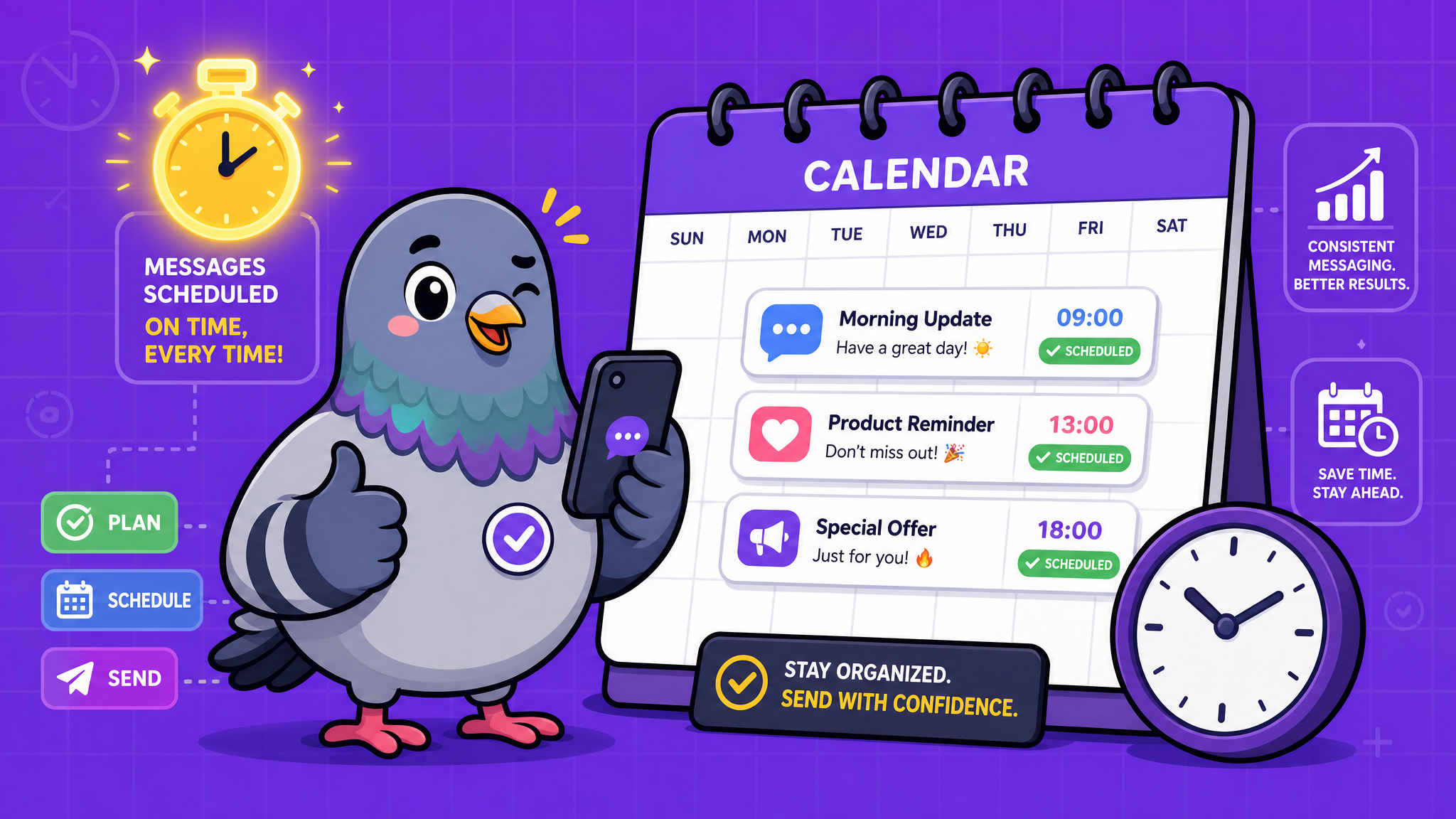
Message scheduling lets you compose a message now and have it delivered automatically at a specific date and time in the future. You write the message when the thought is fresh, set the delivery time, and the app handles the rest. Your message arrives exactly when you want it to, without requiring you to be available at that moment.
Most modern messaging apps — including PigeonChat — support this feature natively. It typically works by long-pressing the send button to reveal scheduling options.
Use Case 1: Crossing Time Zones
If you communicate regularly with people in different time zones, scheduling is essential. Sending messages during the recipient's active hours dramatically increases response rates and shows respect for their schedule.
Pro tip: save your frequent contacts' time zones in your phone notes. When composing a message, a quick mental calculation plus scheduling ensures your message arrives during their morning or afternoon — when engagement is highest — rather than buzzing their phone at 3 AM.
Use Case 2: Birthday and Holiday Wishes
Being the first to wish someone happy birthday at exactly midnight is a small gesture that makes a big impression. Schedule your birthday messages days in advance when you notice upcoming birthdays on social media or your calendar. The same applies to holidays, anniversaries, and other significant dates.
Advanced move: set up a recurring annual reminder to schedule birthday messages for your closest people a week before their birthdays. You'll never forget again.
Use Case 3: Professional Communication
In professional contexts, message timing matters more than most people realize. Research shows that messages sent between 9-11 AM on weekday mornings receive 23% faster responses than those sent at other times. Scheduling your professional messages for optimal delivery windows improves response rates without requiring you to actually work during those hours.
This is especially valuable for freelancers and remote workers who keep non-traditional hours. You can work at 2 AM but have your client communications arrive at 9:30 AM, maintaining professional appearance while working on your own schedule.
Use Case 4: Reminders and Follow-Ups
Schedule messages to yourself as reminders. "Don't forget to call the dentist" scheduled for tomorrow at 9 AM is more effective than a calendar reminder because it arrives in the app you're already checking constantly.
For professional follow-ups, schedule a gentle reminder 3-5 days after your initial outreach: "Hi! Just following up on my message from Tuesday. Would love to hear your thoughts when you get a chance." Setting this up immediately after your first message ensures you never forget to follow up.
Use Case 5: Thoughtful Check-Ins
When a friend mentions they have a big job interview next Wednesday or a medical appointment on Friday, schedule a message for that evening: "How did it go today? Thinking of you! 💜" This shows that you listened, you remembered, and you care — all without relying on your memory to fire at the right moment.
These small acts of scheduled thoughtfulness can dramatically deepen relationships. People notice when you remember the details of their lives.
Best Practices for Scheduling
Always double-check the delivery time and timezone. A message scheduled for 8 AM in your timezone might arrive at 5 AM in the recipient's timezone.
Review scheduled messages periodically. Circumstances change. That enthusiastic "Can't wait for dinner Friday!" needs to be cancelled if plans change.
Don't over-schedule. If every message you send is clearly scheduled, it can feel impersonal. Use scheduling for specific strategic purposes, not for every routine message.
Be mindful of conversation flow. Don't schedule a response in an active conversation — it will arrive out of context and confuse the recipient. Scheduling works best for initiating conversations, not continuing them.
The Psychology of Perfect Timing
Timing profoundly affects how messages are received. A "thinking of you" message during someone's difficult moment feels caring. The same message three days later feels delayed. A good morning message at 7 AM feels warm. At 11 AM, it's just a message.
Message scheduling lets you control this variable with precision. You're no longer dependent on remembering to send messages at the right time — you're designing your communication for maximum emotional impact.
Start Scheduling Today
Open your messaging app right now and try scheduling one message. A birthday wish for next week. A morning greeting for your partner tomorrow. A follow-up to that email you sent yesterday. Once you experience the freedom and thoughtfulness that scheduling enables, you'll wonder how you ever messaged without it.

Writer & Editor at PigeonChat
Related Articles

Why chat folders matter for busy group conversations

How image sharing works in private chat apps
What chat features users expect in modern private apps
Why chat folders help busy groups stay organized

How chat groups help schools and universities stay organized