
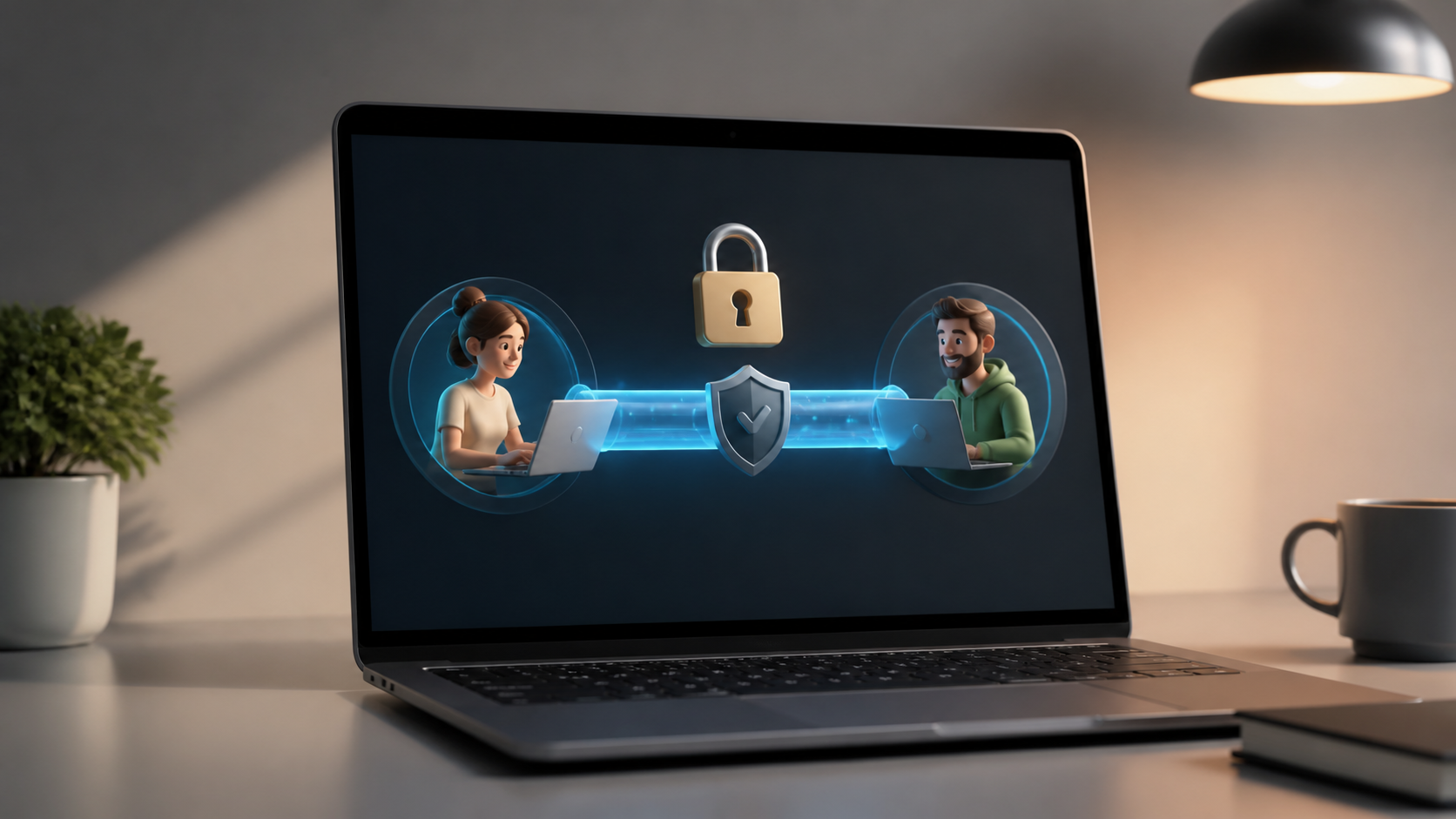
How encrypted private chats work in a browser app
Browser-based messaging raises one big question: can private chats still stay encrypted? This guide explains the basics in plain language.
Browser-based messaging has a reputation problem. Many people assume that if a chat runs in a browser, it must be less private than a dedicated app. In practice, that is not necessarily true. Privacy depends less on where the chat opens and more on how messages are protected from the moment you type them to the moment they are read.
When encrypted private chats are built properly, the browser becomes just another interface. The important part is end-to-end encryption, careful key handling, and a design that avoids exposing message content to the service itself. That is the same basic principle whether you are using a desktop client, a mobile app, or a browser-based messaging tool like PigeonChat.
If you want to understand whether browser access weakens privacy, it helps to separate the interface from the security model. A browser can be a convenient window into a secure system, or a risky one if the platform cuts corners. The difference is in the engineering.
What encryption actually protects in private chat
Encrypted messaging means the content of a message is transformed so that only the intended recipient can read it. In a well-designed private chat system, the service provider should not be able to read the message text while it is stored or when it is sent across the network. That is the point of end-to-end encryption.
It is useful to think of encryption as protecting the message itself, not every piece of surrounding data. Even with strong encryption, some metadata may still exist, such as account details, timing information, or the fact that two people communicated. Good privacy design tries to minimise this too, but the main content protection comes from the encryption model.
For browser-based messaging, the same rule applies. If encryption happens on your device before messages leave the browser, and decryption happens only on the recipient’s device, the browser does not automatically make the chat weaker. The browser is simply where the cryptographic work is carried out.
How a browser app keeps messages private
In a browser app, encryption is usually handled by JavaScript or WebAssembly running locally in your browser. When you type a message, the app encrypts it on your device before sending it to the server. The server then forwards the encrypted data to the recipient, who decrypts it locally with their own key.
This means the server can act as a relay without seeing the actual message content. That is the ideal shape of encrypted private chats: the infrastructure helps transport data, but cannot interpret it. In that sense, browser-based messaging can be just as private as native apps, provided the implementation is solid.
The practical weakness is not the browser itself but the web app environment. A browser page can be affected by malicious scripts, compromised dependencies, or a poor update process. That is why secure platforms focus on tight code control, careful delivery of scripts, and a limited attack surface. The browser is not automatically unsafe, but it does require disciplined design.
Where browser-based messaging can go wrong
The biggest risk in browser-based messaging is that web applications are more exposed to active content. A native app can sometimes offer a more controlled environment, while a browser app must work within the wider web platform. If an attacker can alter the code that runs in the browser, they may be able to weaken privacy without ever breaking the encryption algorithm itself.
That is why trustworthy services need to think about supply chain security, script integrity, and updates. If the code that performs encryption is delivered from a server, users are relying on the provider to serve the right version every time. Strong browser apps reduce this risk with measures such as strict content policies, integrity checks, and transparent release processes.
It is also worth noting that encryption does not protect against everything. If a device is compromised, if a user is tricked into installing malicious extensions, or if someone gains access to an unlocked session, private chats can still be exposed. Browser access is not the only factor here, but it does mean users should treat extensions, shared computers, and saved sessions with care.
- Use a trusted browser and keep it updated.
- Avoid installing unnecessary extensions, especially ones that can read page content.
- Log out on shared devices and do not leave sessions open unattended.
- Check whether the service publishes clear security information and implementation details.
- Prefer platforms that minimise what they store beyond the encrypted message itself.
What to look for in a secure browser chat
If you are trying to judge a browser-based messaging service, start with the fundamentals. Does it clearly explain how encryption works? Does it say whether messages are encrypted end to end? Does it distinguish between message content and account or delivery data? Services that are genuinely privacy-conscious usually explain these things in plain language.
Next, look at how much control the service gives you over your own security. Useful signs include device session management, clear logout options, sensible recovery flows, and transparency about what happens if you lose access. In private chat, recovery is often where convenience and security clash, so the best systems are careful about both.
It also helps if the service avoids unnecessary collection. If a browser app claims to be private but asks for a lot of unrelated information, that is worth questioning. Good encrypted messaging keeps the private conversation separate from the business of running the service.
Why browser access can still be a good choice
Despite the concerns, browser-based messaging has real advantages. It is easy to access across devices, does not require installation, and can be useful when you are using a temporary or work computer. For many people, that convenience matters, especially if the alternative is not using private chat at all.
Browser apps can also reduce friction in secure communication. If encryption is built into the experience and the interface is straightforward, people are more likely to use privacy tools correctly. A secure system that is too awkward to use often fails in practice, because people drift towards easier but less private habits.
This is where thoughtful products stand out. A service like PigeonChat can make encrypted private chats feel usable without asking people to become security experts. That does not mean users should stop being cautious, but it does show that browser access and privacy are not opposites.
Frequently asked questions
Is browser-based messaging less secure than a native app?
Not by default. Security depends on how the app is built and how encryption is handled. A browser app can be very private if messages are encrypted on the device and the service cannot read them. The main extra risk is that web apps depend on scripts and the browser environment, so implementation quality matters a great deal.
Can the service provider read my encrypted private chats?
In a properly designed end-to-end encrypted system, the provider should not be able to read message content. The provider may still handle account data, routing, or timing information, depending on the service. It is important to read the privacy and security description carefully rather than assuming all encrypted messaging works the same way.
What should I do to make browser-based messaging safer?
Use a trusted browser, keep it updated, and avoid unneeded extensions. Be careful on shared devices, log out when you are finished, and only use services that clearly explain their encryption model. If a platform is vague about how it protects messages, that is a warning sign.
Browser access does not have to mean weaker privacy. If the encryption is designed properly and the service is careful about code delivery, a web app can protect conversations well while remaining convenient to use. The right question is not whether chats happen in a browser, but whether the system treats your message content as truly private from end to end.

Writer & Editor at PigeonChat
Related Articles

What a European chat app should offer now

What an EU chat app needs beyond privacy claims
What a browser-based end to end encryption chat app needs

How PigeonChat.site fits the EU privacy app search

Why browsers are becoming the new private chat home
