
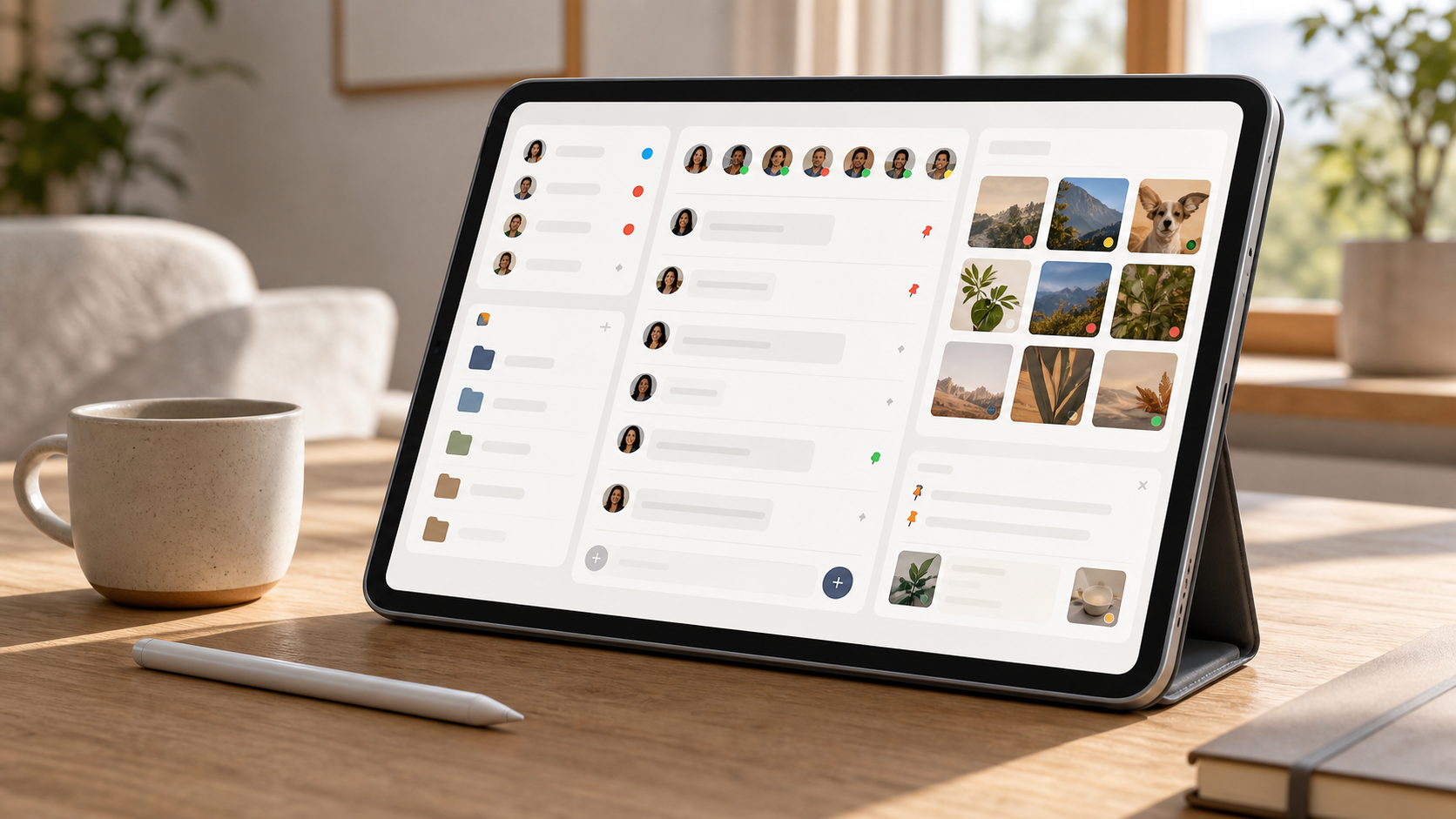
How chat features change the way groups communicate
A practical look at the chat features that matter most, from replies and media to folders, channels, and private spaces for groups.
Group communication has changed a lot, but the real shift is not about talking more. It is about talking with less friction. The right chat features can make a group feel calmer, faster and much easier to manage, whether it is a family thread, a work team or a community of volunteers.
When people say they are overwhelmed by messages, the problem is usually not the number of people. It is the shape of the conversation. Good chat groups give people a clear place to speak, a simple way to catch up and enough structure that important messages do not disappear under a pile of noise.
That is why details matter. Things like threads, folders, notifications and pinned messages may sound small, but they change how people behave. In tools like PigeonChat, those details are not just features. They are the difference between a busy group and a manageable one.
Why chat features matter in chat groups
In any group, communication becomes harder as soon as several conversations start at once. One person is planning a meeting, another is sharing an update and someone else is asking a question that should probably have gone somewhere else. Without helpful chat features, the chat becomes a single long corridor where everything collides.
Well-designed chat groups create a bit of order without making people feel controlled. They allow the conversation to stay natural, while giving members enough structure to understand what matters now and what can wait. That balance is what keeps people engaged instead of exhausted.
The best systems reduce the effort needed to follow along. They help people scan, respond and return later without feeling lost. For many groups, that calmness is more valuable than any flashy extra.
How chat folders reduce mental clutter
Chat folders are one of the simplest ways to make a messaging app easier to live with. They help separate family chats, work chats, hobbies and announcements into clear sections. Instead of one crowded list, people get a sensible layout that reflects real life.
This matters because attention is limited. If every conversation looks equally urgent, people either keep checking constantly or stop checking altogether. Chat folders help avoid both extremes by making it easier to decide where to look first.
They are also useful for groups that span different parts of life. A volunteer organiser, for example, may need to stay close to one active project while keeping an eye on a quieter planning group. With chat folders, that kind of switching becomes less tiring.
Features that make chat calmer, not louder
Calm communication usually comes from restraint. The most useful chat features are often the ones that limit noise, not increase it. Notifications that can be tailored, muting options, pinned messages and message replies all help groups stay focused.
Replies are especially valuable in busy chat groups because they keep context attached to the right message. Without them, a question can be answered three messages later with no clear link to the original point. That is how confusion grows, even in otherwise friendly groups.
Pinning also helps. When a group has a clear notice, deadline or shared instruction, pinning it reduces the need for repetition. People do not need to ask the same thing ten times if the answer is already visible where they expect to find it.
- Use pinned messages for key dates, links or rules
- Use replies for questions that need context
- Mute low-priority chat groups during busy periods
- Turn on notifications only for mentions or direct replies
- Keep recurring updates in one predictable place
How chat folders and organisation improve speed
Speed in group communication is not just about sending messages quickly. It is about getting to the right information without delay. A well-organised chat space saves time because people spend less effort searching, clarifying and repeating themselves.
When members know where a discussion belongs, decisions move faster. A work team can keep project updates in one place, while casual conversation stays somewhere else. That separation helps people answer the right thing at the right time instead of dragging every topic into the same stream.
In a tool like PigeonChat, this kind of structure can make a group feel lighter to use. The aim is not to force a formal process on everyone. It is to make everyday communication less messy, so people can act on information sooner.
The role of clear signals in chat groups
Clear signals help people understand what needs attention. A mention, a badge, a folder, a pinned note or a grouped thread all act as signs that guide behaviour. Without those signals, users are left guessing which message matters most.
This is particularly important in larger chat groups, where silence does not always mean agreement and a flurry of messages does not always mean progress. Simple cues help people avoid unnecessary interruptions and reduce the urge to ask for things that are already there.
Well-chosen chat features also make it easier for quieter members to participate. Not everyone wants to speak at the pace of the fastest typists. When the structure is clear, more people can join in thoughtfully rather than feeling pushed aside.
What good chat design looks like in practice
Practical chat design is usually invisible. People notice it most when it is missing. A good group chat makes the next step obvious, whether that is replying to a message, checking a folder, or reading a pinned update before asking a question.
That kind of design also helps set expectations. Members learn where to post, how to keep side conversations manageable and when to use a direct reply rather than adding another broad message. Over time, the group becomes easier to trust because it feels predictable.
If you are choosing a platform, look for tools that support this kind of behaviour naturally. PigeonChat is one example of a service that thinks about communication as a shared space rather than just a message feed. But even if you never sign up anywhere, the principles still apply to any group you manage.
Frequently asked questions
What is the biggest benefit of better chat features?
The biggest benefit is usually clarity. Good chat features help people understand where to look, what to answer and what can wait. That reduces confusion and makes group communication feel calmer for everyone involved.
Are chat folders really useful for small groups?
Yes, if the group covers more than one topic. Even a small team can benefit from separating planning, announcements and general chat. The point of chat folders is not size alone, but reducing mental clutter.
Do chat features slow conversations down by adding structure?
Not when they are designed well. The right structure usually speeds things up because people spend less time searching, repeating themselves or asking for context. Good organisation removes friction rather than adding it.
The best group communication feels easy because the tools support the way people already think. When chat features are chosen well, chat groups become calmer to follow, faster to use and far easier to manage. That is true whether you are running a team, a community or a family thread, and it is the main reason thoughtful tools like PigeonChat stand out. The goal is not more messages. It is better conversations.
Ready to try PigeonChat?

Writer & Editor at PigeonChat
Related Articles

Why people want a best chat app UAE option

PigeonChat.site: what the private browser app is for

PigeonChat.site explained for private browser messaging

What chat features users expect in modern private apps

Why chat folders matter for busy group conversations
