
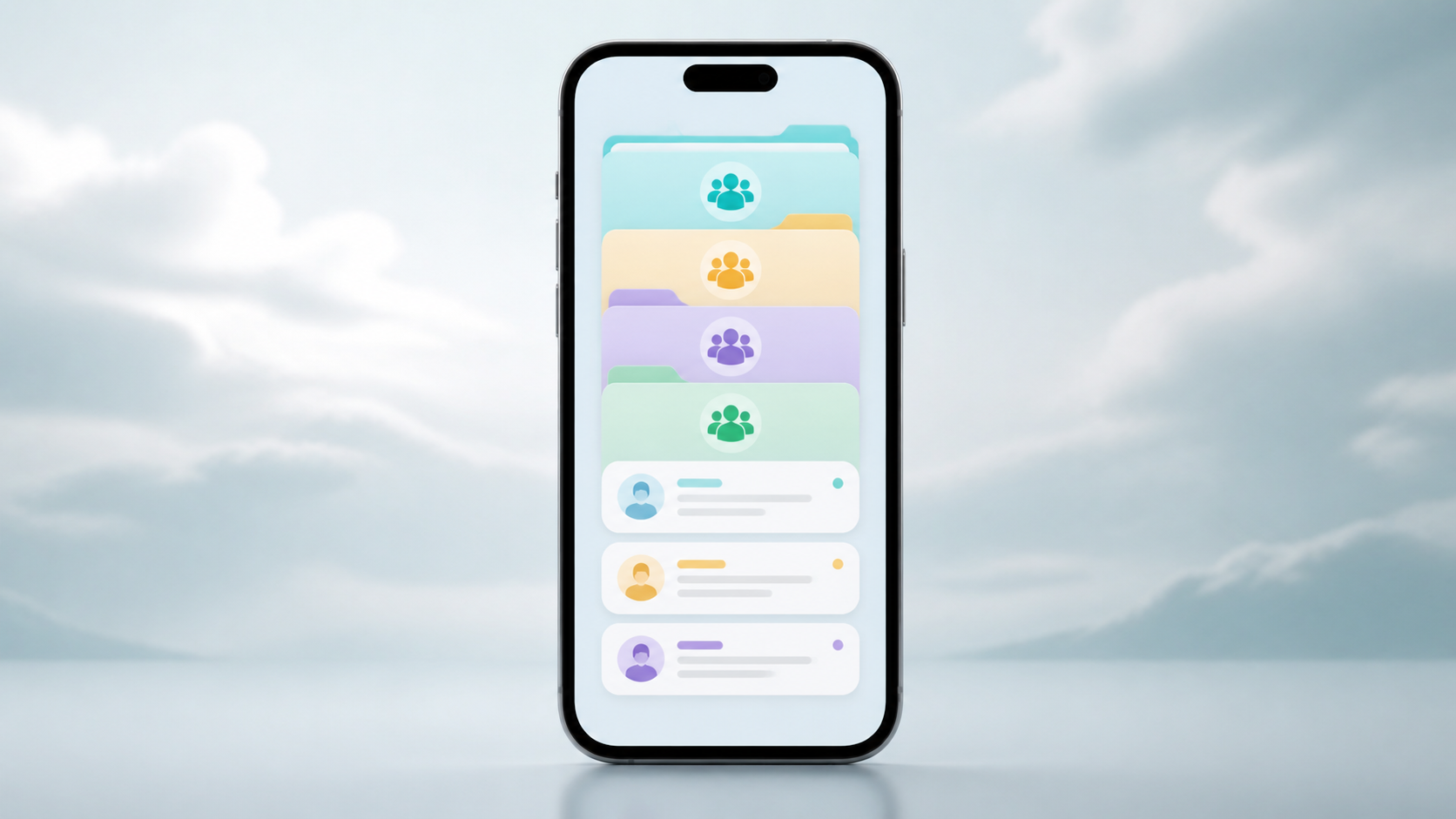
How chat folders help busy groups stay organized
Chat folders can make school, university, and community messaging far easier to manage by separating classes, teams, and announcements.
When you are juggling lots of conversations at once, the real problem is rarely the number of messages. It is the lack of a simple way to keep them separated, easy to return to, and less mentally noisy. That is where chat folders come in. They give busy people a practical way to turn a long, flat message list into something closer to a working system.
For people in chat groups, especially when life is split across school, university, clubs, projects, family and friends, organisation matters. One group chat may be about lecture notes, another about a weekend plan, and another about deadlines. Without some kind of group chat organization, everything starts to blur together and important messages get buried under everyday chatter.
Chat folders do not solve every communication problem, but they do solve a very common one: helping you decide what needs attention now and what can wait. That small distinction can make a busy inbox feel manageable again.
What chat folders actually do
At their simplest, chat folders let you sort conversations into groups you define. You might keep work chats separate from personal ones, or place all school related chat groups together. Some people build folders around life areas, such as family, hobbies and logistics. Others use them for urgency, separating active conversations from quieter ones.
The value is not just visual neatness. It is reduced friction. Instead of scanning one long feed and trying to remember which chat matters most, you can jump straight to the folder that fits the moment. If you are heading into a lecture, you open your university folder. If you are planning dinner, you open family or household chats. If you are coordinating a team task, you go to project chats.
This is why chat folders are useful even for people who do not think of themselves as naturally organised. You do not need a perfect system. You just need a better way to find the right conversation quickly.
Why group chat organization gets difficult so quickly
Most group chat organisation problems are caused by overlap. One person belongs to several chat groups with similar names, similar topics, or similar levels of urgency. Messages arrive at different times, but your brain still treats them as one continuous stream. The result is missed context, duplicated replies and that familiar feeling of opening the app and not knowing where to start.
This gets especially noticeable in school and university life. A student may be in a class group, a course admin chat, a project team, a society group and a friends chat, all in the same day. Each group chat serves a different purpose, but they compete for the same attention. Without folders, the important messages are easy to miss because they look no different from the casual ones.
Busy professionals see the same pattern, just with different labels. Work chats, client threads and informal teams can pile up until the inbox becomes less a tool and more a queue of interruptions.
How chat folders support focus, not just tidiness
A good folder setup is not about making your app look neat for its own sake. It is about protecting your attention. When chats are grouped by purpose, you spend less time deciding what to open and more time responding to what matters. That is a real productivity gain, even if it feels small.
Folders also help with emotional load. A long list of unread chats can feel demanding even when most of them are not urgent. Moving quieter conversations into separate folders can make the main view feel calmer. That does not mean ignoring people. It means creating a clearer boundary between active and background conversations.
If you use PigeonChat or another messaging tool that supports a tidy layout, the same principle applies. The point is not to hide messages. It is to make your communication system easier to trust, so you are less likely to overlook something important.
Simple ways to set up chat folders
The best folder system is one you will actually use. Keep it simple enough that you can maintain it without thinking. For most people, three to five folders is plenty. More than that, and the structure can become another thing to manage.
- By life area: school, university, work, family, friends, clubs
- By urgency: active, waiting, reference, low priority
- By project: exam prep, event planning, group assignment, moving house
- By people: close contacts, housemates, classmates, team chats
You can also mix these approaches, but only if it stays intuitive. For example, a university student might keep one folder for course chats and another for social chats. A freelance worker might separate client groups from admin and personal conversations. The exact labels matter less than the habit of using them consistently.
One helpful rule is to create folders around decisions. If you know what you will do when you open a folder, it is doing useful work. If a folder is just a duplicate of another view, it is probably too complicated.
Where chat folders help most in daily life
In school and university settings, chat folders are especially useful because the same person often belongs to multiple academic circles at once. A class group can contain lecture reminders, while a separate project group handles deadlines and file sharing. Folders let you keep those roles apart so the conversation history makes more sense when you return to it later.
They also help with seasonal bursts of activity. At the start of term, during exam season, or when planning an event, chats become busier very quickly. Folders give you a way to create temporary structure without permanently changing how you communicate. Once the busy period passes, you can archive, move or simplify as needed.
Outside education, the same idea supports households, volunteer groups and social planning. A small folder system can stop practical messages from getting lost among casual banter. That is useful because a missed message in a group chat can create confusion for everyone, not just you.
What a good chat folder habit looks like
The key habit is regular review. Once a week, or whenever your conversations start to feel crowded, ask yourself whether the folders still match how you actually use your chats. If a folder is always empty, remove it. If one folder has become a catch-all, split it. If a group chat has gone quiet, archive it or move it out of your main working set.
It also helps to use folders alongside other small habits. Rename chats clearly where possible. Pin only the conversations you truly need at the top. Mute groups that are informative but not urgent. These small choices work together and make group chat organization much easier to sustain.
In other words, chat folders are not the whole answer. They are one part of a cleaner messaging routine. Used well, they reduce clutter, make priorities clearer, and help you get back to conversations faster.
Frequently asked questions
Are chat folders only useful for very busy people?
No. They are most helpful when you manage several conversations at once, but even lighter users can benefit if they want a clearer way to separate work, family and social chats. The more your messages cover different parts of life, the more useful folders become.
What is the best folder structure for school or university?
Start with broad categories, such as course chats, project groups and social chats. If that is still too crowded, break course chats into individual modules or add a separate folder for deadlines and admin. The aim is to make it obvious where to look first, not to categorise everything perfectly.
Do chat folders replace muting, pinning or archiving?
No, they work best together. Folders help you group conversations by purpose, while muting reduces noise, pinning highlights essentials and archiving clears away completed threads. Used together, they create a much stronger system than any one feature on its own.
Busy group communication will always create some mess, but it does not have to create confusion. With a simple folder system, you can make chat groups easier to navigate, reduce mental clutter and keep important conversations visible when they matter. If you want a calmer way to handle everyday messaging, chat folders are one of the most practical changes you can make.
Ready to try PigeonChat?

Writer & Editor at PigeonChat
Related Articles

Why chat folders matter for busy group conversations

How image sharing works in private chat apps

What chat features users expect in modern private apps

Why chat folders help busy groups stay organized

How chat groups help schools and universities stay organized
