
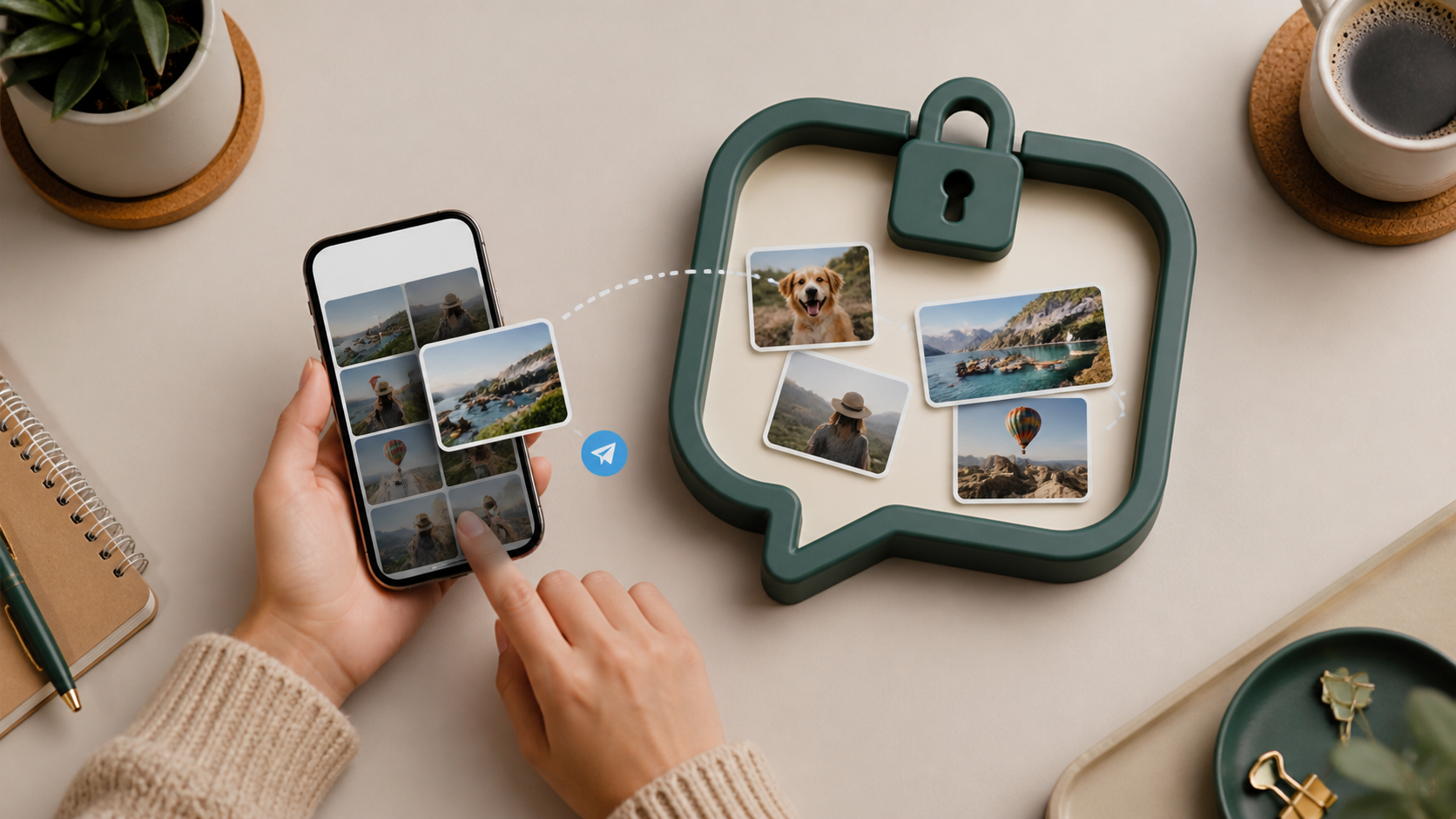
Image sharing in private chat without losing control
Many users want image sharing in private chat but do not want public exposure. This guide explains the controls people expect and why they matter.
When people talk about image sharing in private chat, the conversation often starts with speed. Can a photo send quickly? Does it look good on mobile? Is the app easy to use? Those things matter, but they are not the real issue. The real issue is control. Once an image leaves your camera roll, you should still know who can see it, how long it stays available, and what happens if you change your mind.
That is especially true in encrypted private chats, where the promise is not only privacy but restraint. Good chat features do not just move pictures from one person to another. They help you limit access, reduce accidental exposure, and keep conversations manageable. If you are sharing sensitive screenshots, family photos, work documents or anything personal, control matters more than convenience.
This article focuses on that practical side of image sharing. You do not need to be a security expert to make better choices. You just need a clear sense of what to look for, what to avoid, and how to use private chat in a way that protects both your images and your peace of mind. Tools like PigeonChat can help, but the principles are useful even if you use something else.
Why image sharing needs control, not just convenience
In a public feed, an image is meant to spread. In a private chat, it is usually meant to stay limited. That changes the design problem entirely. A good private chat system should make it easy to send an image to the right person without making it easy for that image to escape into the wrong place.
Control means more than hiding the content in transit. It includes who can forward it, whether it can be saved automatically, whether previews are shown on lock screens, and how visible it is in notifications. If those details are left to chance, the chat may feel private while still exposing more than you intended.
For that reason, the best image sharing tools are often the ones that are slightly less dramatic. They do not promise magic. They give you straightforward controls, and they make the trade-offs understandable.
What to look for in private chat image sharing
When reviewing private chat options, focus on the features that affect image handling directly. Some are obvious, like sending full-resolution images or compressing them for faster delivery. Others are more important because they shape privacy after the upload.
Useful chat features usually include message deletion, expiry controls, per-chat visibility settings, device-level notifications you can tone down, and clear file handling rules. If the app does not explain what happens to shared images after sending, that is a warning sign. You should not have to guess.
- Message deletion: lets you remove an image from the conversation when needed.
- Expiry or disappearing controls: reduce how long an image remains available.
- Forwarding limits: help prevent easy redistribution.
- Notification privacy: avoids image previews appearing where others can see them.
- Device sync clarity: tells you whether images appear on multiple devices.
If you use PigeonChat or any similar platform, it is worth checking these settings before you rely on it for anything sensitive. A few minutes of setup can prevent a lot of awkwardness later.
Encrypted private chats are only part of the story
Encryption is important, but it does not solve every problem. Encrypted private chats can protect images while they travel between devices, but they do not automatically stop screenshots, screen recording, or someone simply taking a photo of the screen. In other words, encryption protects the channel, not every possible outcome.
This is why control still matters after delivery. If a chat app makes it easy to delete messages, restrict forwarding, or avoid rich previews in notifications, it supports your privacy in a more complete way. You are not relying on a single safeguard to do all the work.
It also helps to think about the recipient’s environment. Even in secure chats, an image can become visible through browser history, file downloads, cached previews, or shared devices. The best private chat habits assume that the destination is not perfectly controlled either.
Practical habits for safer image sharing
You do not need complicated workflows to improve image privacy. A few small habits make a noticeable difference. Start by deciding whether the image really needs to be sent at all. Some things are better described in text, especially if the image contains personal data, metadata, or background details you did not mean to reveal.
Before sending, crop what is unnecessary and check the visible edges of the image. Then choose the smallest audience that still makes sense. If the app allows you to share into a specific private chat rather than a wider group, use that. Narrow sharing is often the simplest form of control.
It is also sensible to review your device settings. Notification previews, auto-save behaviour, cloud photo sync, and clipboard history can all widen exposure without you noticing. Private chat works best when the surrounding device settings match the level of privacy you expect from the app itself.
Common mistakes that weaken control
Many privacy problems come from habits, not attacks. One common mistake is assuming that a private conversation is automatically low-risk. Another is forgetting that images can contain hidden details, such as location clues, usernames, reflective surfaces or documents in the background.
A second mistake is treating temporary controls as if they were absolute. If a chat says an image disappears after a while, that may reduce risk, but it does not mean the content was never seen, copied or saved elsewhere. The shorter the lifespan of an image, the better, but you still need to be realistic.
Finally, do not overlook convenience features that quietly expand exposure. Auto-download, cross-device sync, and rich notifications are all useful in the right context. In private chat, though, convenience should be deliberate. If you do not need a feature, switching it off is often the safer choice.
How PigeonChat fits into a control-first approach
The point of a privacy-minded chat app is not to make every image impossible to share. It is to make sharing intentional. PigeonChat fits best when you want a simple place to send images in private chat without losing sight of the controls around them. That means checking what is visible, what is saved, and what can be removed later.
Even if you never use PigeonChat, the mindset is worth keeping. Ask whether the app makes image sharing clearer, safer and easier to reverse. If it does, you are in a better position than with a tool that only feels fast. Speed is useful, but control is what protects you when something changes.
Think of private image sharing as part of a broader communication habit. The best systems are boring in the right way: predictable, legible, and honest about their limits. That is what gives you confidence when sending something personal.
Frequently asked questions
Is encrypted private chat enough for safe image sharing?
No. Encryption protects images while they are being transmitted, but it does not stop screenshots, downloads, notifications, or sharing on the receiving end. For safer image sharing, you also need deletion controls, sensible device settings, and a clear idea of who should have access.
What chat features matter most for private photos?
The most useful chat features are message deletion, expiry settings, forwarding limits, notification privacy, and clear sync behaviour across devices. These do not guarantee perfect privacy, but they give you real control over how images are handled after you send them.
How can I make image sharing safer without changing apps?
Start by sending fewer images, cropping out unnecessary details, and checking your notification and cloud backup settings. Use smaller chat groups, avoid auto-save where possible, and assume that anything visible on screen could be copied. Good habits often improve privacy more than people expect.
Private image sharing should feel deliberate, not risky. If a chat app helps you keep control, that is a meaningful privacy feature in itself. Whether you are sharing personal moments, work material, or sensitive screenshots, the goal is the same: send what you mean to send, and keep control of what happens next.
Ready to try PigeonChat?

Writer & Editor at PigeonChat
Related Articles
Why privacy claims on PigeonChat.site need details
What privacy guaranteed on PigeonChat.site really means

What a European chat app should offer now

What an EU chat app needs beyond privacy claims

Why PigeonChat.site asks you to invite your partner first
